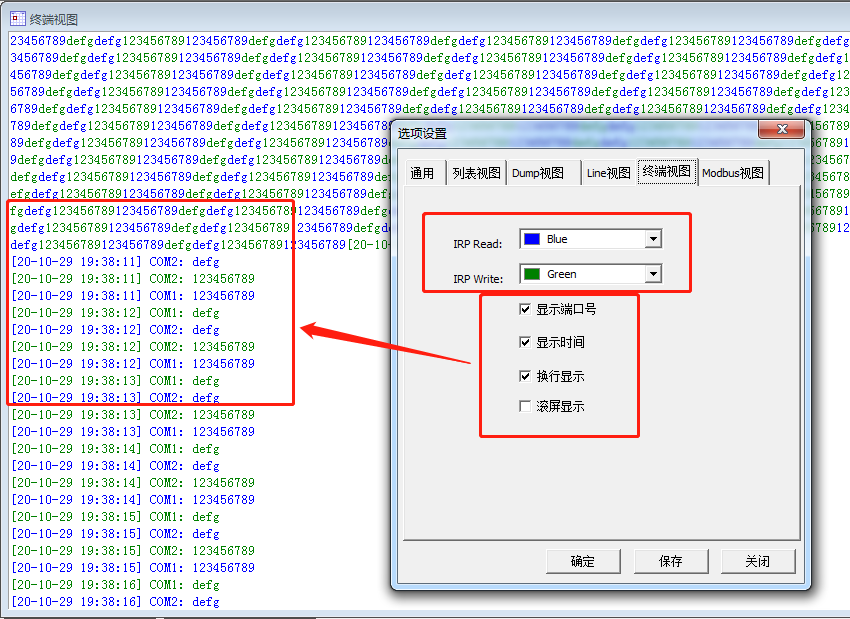
CommMonitor - Options Dialog - Terminal View
CommMonitor Options - Terminal View Settings
1. IRP Color Settings: In Terminal View, you can display Read and Write operations with different colors for easy identification.
2. Terminal View Options:
a. Terminal View is a text output console that only displays decoded strings. The decoding method is based on Menu -> Settings -> [Encoding Method]. You must know the encoding format of the monitored data to configure it correctly. The default string output uses ANSI encoding, showing raw data without line breaks.
b. Show Port Number: Displays the COM port number before each data packet and automatically adds a line break.
c. Show Timestamp: Displays date/time before each data packet based on general settings, and automatically adds a line break.
d. Line Break Display: Automatically adds line breaks to data packets.
e. Auto-Scroll: Always scroll to the latest output.