CommMonitor - How to Start, Pause and Stop Monitoring a Serial Port
2026-05-17
CommMonitor - How to Start, Pause, and Stop Monitoring a Serial Port?
1. Use the toolbar buttons [Start Monitoring, Pause Monitoring, Stop Monitoring] or open Menu->Monitor, as shown below:
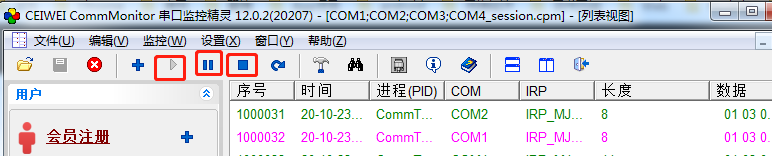

2. Start Monitoring: The kernel driver begins capturing serial port data, and the packet sequence number counter starts incrementing.
3. Pause Monitoring: The kernel driver pauses capturing serial port data.
4. Stop Monitoring: The kernel driver stops capturing serial port data and resets the data buffer. The packet sequence number counter resets to 0.
