CommMonitor - How to Copy and Export List View Data
2026-05-17
CommMonitor - How to Copy and Clear View Data?
1. Go to [Edit] menu or right-click on the selected view->[Copy, Clear Data], as shown below:

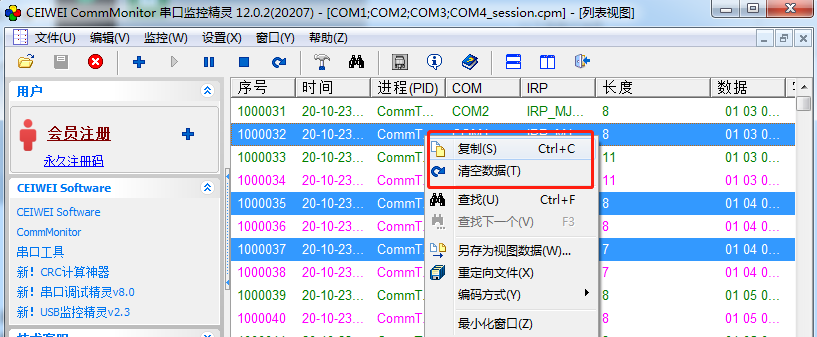
Clear Data: Clears all view data currently displayed in the monitor.
Copy: Copies the data of the currently selected view records.
Note: For the Modbus view, Enterprise edition user permissions are required to copy data.
